Skip to product information
1 of 3

Canva Made Easy

Canva Made Easy

FULL PLR LICENCE INCLUDED

Rebrand, resell & keep 100% of the profits


  • Instant Digital Download
  • Fully Editable in Canva
  • Beginner Friendly
27.00 USD

Learn Canva Fast, Even If You’ve Never Designed Before

Canva Made Easy is a step-by-step beginner guide that teaches you the essential skills you need to design clean, professional graphics using Canva, without confusion, or “where do I click?” frustration.

Whether you want to edit PLR products, design social media content, or start creating your own digital products, this guide walks you through everything from setting up your account to using Canva’s core tools in a simple, visual, beginner-friendly way.


⭐ What Included

Getting started with a free Canva account

Understanding the Canva workspace

Loading & editing templates

Working with text (fonts, spacing, effects)

Working with color (palettes, pickers, recoloring)

Uploading & managing photos

Tips & tricks for faster editing


What’s Included:

✓ 43-page beginner-friendly Canva training
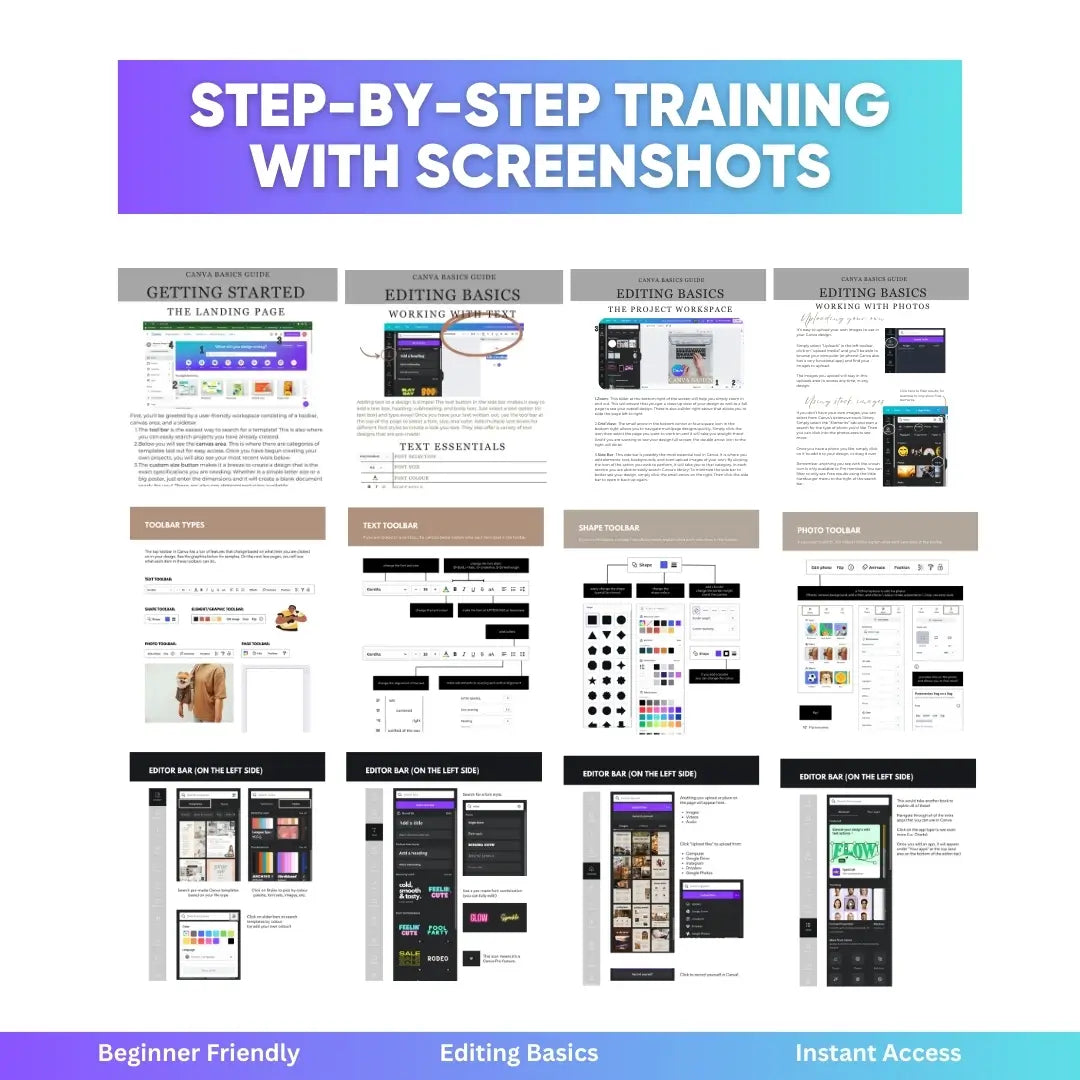
✓ Step-by-step tutorials with screenshots
✓ Tools overview and interface breakdown
✓ Text, color, photo, and layout walkthroughs
✓ Free vs Pro comparison section
✓ PLR License included
✓ Rebrandable PDF you can customize and sell

Total length: 43 pages
Format: PDF + Canva Editable Version


Who It's For:

This guide is perfect for:

✅ Total beginners learning Canva for the first time

✅ Digital product creators

✅ PLR/MRR sellers who need to edit templates

✅ Social media managers

✅ Faceless creators

✅ Coaches who want to design content faster

✅ Anyone overwhelmed by Canva


What You Can Do With the PLR License

✔ Edit, customize, and modify the content
✔ Rebrand the PDF with your own title and cover
✔ Sell the finished PDF under your own brand
✔ Keep 100% of the profit
✔ Use it inside your own courses, bundles, or digital products


Frequently Asked Questions

Do I need Canva Pro?
No, everything inside this guide is fully compatible with Canva Free.
You’ll learn how to use all the beginner tools without needing a paid subscription.

Is this beginner friendly?
Yes, it’s written specifically for people who have never used Canva before.
Every step includes simple explanations and screenshots so you can follow along easily.

Can I rebrand and sell this as my own?
Yes — PLR rights are included.
You may edit the content, change the title & cover, add branding, and sell the finished PDF.
However, you cannot:
 • give away or sell any editable source files
 • pass on PLR or MRR rights to customers
 • provide your buyers with the Canva template

Will this help me edit other PLR products?
Yes, this guide teaches you the exact tools and skills needed to edit PLR PDFs, Canva templates, digital product pages, and social media content, making it perfect for creators, resellers, and beginners.

How long does it take to complete?
Most beginners can go through the guide and start creating simple designs in under an hour. You can revisit any section anytime as a refresher.

Is this suitable for faceless creators?
Absolutely, Canva is the main tool faceless creators use to design text posts, graphics, covers, carousels, and digital products.

How do I receive my files after purchase?
Your files are delivered instantly after payment, giving you immediate access to the main PDF, your PLR license file, and your download/thank-you file (optional).

Are there any refunds?
Due to the digital nature of the product, all sales are final.
Please read the description carefully before purchasing.

GET INSTANT ACCESS View full details

Your Questions Answered!

What exactly is a PLR product?

PLR stands for Private Label Rights. It gives you a ready-made digital product you can fully edit and rebrand as your own. You can change the design, update the content, add your name or branding, and sell your customized version at any price. PLR saves you time by giving you a complete product you can make uniquely yours.

What can I do with this PLR product?

You can edit the design, content, or layout however you like, add your own branding, and use your updated version inside courses, bundles, memberships, workshops, or your digital shop. You can also use it for your audience or client work.

The only limitation is that you cannot resell or give away the editable source files or pass PLR rights to others. Your finished, edited version is yours to sell.

Can I really make money with PLR products?

Yes. PLR is a proven shortcut for creating digital products without starting from zero. Creators use PLR to quickly publish ebooks, guides, courses, templates, lead magnets, paid bundles, niche digital shops, or even passive funnels — without spending weeks creating everything from scratch.

PLR removes the hardest part: the blank page. You get a high-quality foundation you can customize and turn into a sellable offer in far less time.

Do I get access right after purchase?

Yes! You’ll receive instant access.

You’ll get a PDF with your Canva template links, instructions, and any included bonuses.

Do I need Canva Pro?

No, all templates work in the free version of Canva.

Can I edit everything inside the product?

Yes. Colors, fonts, images, copy, layout, everything can be fully customized to match your brand.

Are these beginner-friendly?

Absolutely. If you can drag, drop, and type, you can use PLR.

No tech skills. No design experience needed.

What’s your refund policy?

Because digital products are instantly delivered, all sales are final.

If you need help accessing anything, our team is happy to assist.

Why should I buy from Digital PLR World?

We create high-quality, modern, conversion-focused templates that actually get results.

Everything is built for creators, beginners, coaches, and entrepreneurs who want plug-and-play digital products without the guesswork.